Monday, June 11, 2012

Thank you, Quebec Ministry of Education, for Beaucoup de cool student projects!

In Quebec, up until 2 years ago, all grade 11 students were required to produce, by the end of the year, a math project, called the Independent Assignment. It was to be based on their own interest, of course related to math somehow, and it was to be done mostly during class time, in 10 sessions, with guidance from the teacher. This was so that it would be good training on how to do a research project as well. (We were given some excellent scaffolding for implementing this.)

I griped and panicked about how I would fit these project sessions into my classes AND still cover everything on time, for this was pre-flip, when classes were all me, me, and more me yammering away. But I dutifully had my students do the project anyway for the first time in the school year 2009-2010. They pretty much all made powerpoints, which was fine. The projects were great, and even though they had taken up a lot of class time and energy, I found it was worthwhile having my students do something that interested or inspired them mathematically.

Then I went to ISTE in Denver, and I heard about all the bazillion other tools there are out there. And I heard a casual reference to something called "flipping the class" during a session about something called "Twitter." Hmmmm", I thought, "interesting," blissfully unaware that, in that moment, my entire world had just been rocked to the core.

Well, back to reality, the next year, Quebec dropped the project as a requirement, but I decided to keep doing it, partly because, I really wanted to have some PBL in my course, but also because I really wanted to try out some of the tools I had heard about. That year's projects were a tiny bit more varied, I think I had one or two videos and the rest powerpoints. It had still been a challenge to fit in the sessions. Plus I started flipping late in the year, when many of the projects were already well under way.

This past year was my first full year flipping. And just like that, there was zero issue about fitting in the sessions. Class time was all about what THEY were doing, not what I was saying! I could discuss with them about their topic, they could discuss with each other, show what they'd found, experiment....I even had a period at the beginning of the year that was all about investigating the various tools, which was inspired by Terie Engelbrect's brilliant blog, which I had found on Twitter. Yup. Rocked to the core.

Well, it's two years after the government started it all, and here is the latest batch of projects, just handed in after a year of working on them in and out of class. The variety alone is blowing me away - voicethreads, videos, glogs, googledocs, prezis, AND powerpoints! If, two years ago, in Denver, you had told me that my students would soon be producing these kinds of projects, uploading them to their blogs, and never mind the fact that I have a blog and I'm embedding the projects on it....I would have looked around and said "Me? You mean me?"

Most of these are embedded, but some you have to click on the link to see the actual project. Enjoy! I know I did, in fact, I have this math rap song stuck in my head now:

Arnold's rap video:


Brett's intro video to his project:
:
....and the guitar math voicethread:

Emilie's googledocs presentation:


Kaily and the End of the World:

Kaitlyn's stepdancing voicethread:


Katerina's sizes of infinity video....definitely channeling Vihart here! ;)

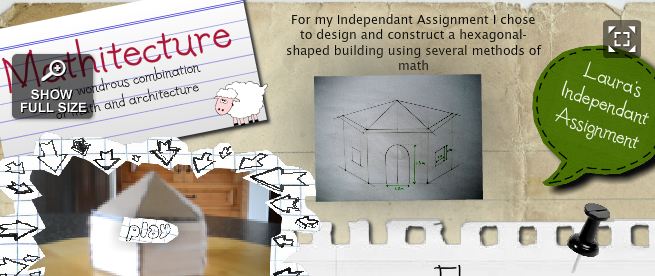
Laura's mathitecture glog:
Madison's origami video:


Olivia's snowboarding prezi:


Ricky's sizes of infinity slideshare:


Taylor's energy glog:


Melissa's hockey math:


Joey's drum math:


In my dreams

So now off they go to CEGEP, which is the Quebec equivalent to college. A small, selfish part of me hopes that at least one of these students will next year submit a project using one of these tools, or something equally cool, to an astonished professor, who will then ask:

"Who are you really, and what is this amazing thing you have done, and where on earth did you learn how to do this?"

And they will say, "Oh I had to pick a webtool from a googledocs list, and learn how to use it so I could embed it in my blog, for my math teacher, Mrs. McGoldrick."

The professor will eventually regain the ability to speak, then he/she will exclaim "BLOG? GOOGLEDOC? How have you come to know all these wondrous things?"

And then he/she will learn about all these wondrous things, from one of my students, who will get to be their professor's teacher, at least for a few minutes.

How cool would that be? Beaucoup de cool. Merci MELS!

Monday, June 4, 2012

A year of student blogs - Warts and all

Time to take a look at the way things evolved this year with my grade 10 & 11 math students' blogging. I have no hesitation in recommending this to anyone, because the potential for learning is HUGE. If blogging worked so well for me as a vehicle for growth, it should do the same for my students.

But it wasn't rosy for all my classes. Some kids took to it, some didn't, and in the case of one of my classes, it seemed that the entire class just didn't see the point. I do have at least 3 students, though, who now post simply because they love it, which makes me very, very happy for them.

First a look at the sequence of events, which worked out really well, even though I sort of made it up as I went along. So as not to overwhelm the kids, I gradually introduced the world of blogging. It began as assigned posts, then gradually morphed into optional use of their blog to publish their work.This sequence worked well, and the only thing I might do differently is maybe begin earlier in the school year.

Here are the milestones in brief, with more detail below:
  1. December 2011: Created the classblog, to serve as the hub for all the others. 
  2. January 2012: Sent out form for parents to sign so that kids could have their own blog.  
  3. January 2012: Had students create their own blogs, using either blogger or wordpress.
  4. Immediately after that: Get everyone to follow everyone else, and the classblog.
  5. Immediately after that: Assigned the first post. 
  6. January 2012: Showed other tools like codecogs.
  7. January - February - March 2012: Assigned a scribe post everyday.
  8. Simultaneously: Assigned other blogs to read and comment on.
  9. Simultaneously: Used hub, or classblog, to upload info - some fun, some business.
  10. March 2012: Assigned small homework examples to be posted rather than handed in.
  11. March - end of year: Some major assignments, like projects, could from now on be published on their blog rather than handed in to me.
  1. December 2011: Created the classblog, to serve as the hub for all the students' blogs.  I wrote about that here. Took me a while to get my head around this. Like till December. 
  2. January 2012: Sent out form for parents to sign so that kids could have their own blog.  Actually, my principal did this part to cover all the web tools and activities that Learn's students were doing. I wanted their blogs to be open to the world, because a real blog works that way. But making it open came with some risk, of course, and as a parent, I was worried about the weirdos out there who might make a comment that was inappropriate. The safest thing would have been be for me to moderate all comments on their blogs, but then I would have had to be the owner, which misses the whole point of it being their own space. So if they own it, they have to moderate their own comments, which meant they might see something inappropriate. Took the plunge, parents signed, we were off to the races. Fortunately, nothing bad happened, not that I know of anyway.
  3. January 2012: Had students create their blogs using either blogger or wordpress. For blogger, they needed to use their google accounts to do this, which they had already created earlier in the year. I took some time to familiarize them with settings and tools for blogs, like design options, and how to post/comment, but most did not need much help here. It's super intuitive on blogger. Once they had created their blogs, it was a simple thing to just link to them from the classblog using the "link list" gadget, which you can see on the right hand side of the above image. Next year, unless they already have a blog, I will insist on blogger. That's what I'm familiar with, and I still find wordpress, even the edublogger version of it, really difficult to learn and get stuff to actually work properly on.  Anyway it was a lot of fun to see the designs they used, some of which they custom-made! Jack Black backgrounds! Awesome!
  4. Immediately after that: Get everyone to follow everyone else, and the classblog. Next year I'll get the parents to follow their child's blog as well as the classblog. This will be an opportunity for parents to really, actually see, firsthand, what their child is doing in math class! Also, I will use the opportunity to help the kids with managing web content, for example, how to use google reader, rather than letting email accounts get cluttered up with notifications every time someone posts.
  5. Immediately after that: Assigned the first post. Everyone had to post about anything remotely related to math. This was just to get them to dip their toes in. Some posted at length about something on which they were experts, and some just posted a tiny little cartoon with a math joke. All good. But I found I had to assign it, because as usual, if you don't require it, and you just say "Post whatever you want" you will be waiting rather a long wait. Plus, if they're all doing it at the same time, it takes away any self-consciousness they may have about putting themselves out there.
  6. January 2012: Showed other tools like codecogs, or how to embed something like a voicethread or a video. Very quickly, I could see the blurring of lines between teacher and student. Eventually, learned about Cmap tools, and prezi!
  7. January - February - March 2012: Assigned a scribe post everyday, one person per class per day, so that everyone got a turn at this eventually. They had to post a summary of the current lesson. Again, some put in minimal effort, some had pictures, formulas, etc. You could see who was really sinking their teeth in. And some started to post things even when I hadn't assigned it to them! Not only math stuff, either, but other topics of interest to them, for example, this student's tribute to her beautiful hometown. Of course, to get conversations going, I required that everyone make 5 comments during a unit. The idea was to get them critiquing each other's work, so that the posts would get better and better. I gave some guidelines on commenting, for example, "Awesome post, dude" was NOT going to count, but that is one area that will need lots more coaching next year. And rubric-ing.
  8. Simultaneously: Assigned other blogs to read and comment on. Like betterexplained. Reading other blogs is inspirational, fun, and helps them get the point of blogging. When they see the kinds of conversations that go on out there, they see a new kind of community, that they likely have not experienced before, even on facebook or twitter. Also models commenting for them. Had a wonderful moment in one class in which one student's comment on betterexplained was replied to by the author during that very class, and I wrote about that here. Definitely went into my feel-good file.
  9. Simultaneously: I used classblog to upload info - some fun, some business. Fun stuff would be like one of Vihart's videos, business would be the week's video lessons, or how their work should look for a given assignment. I found this really useful for little how-to demos, reminders, and things that I hadn't had time to mention during class. But they didn't all get into the habit of reading the classblog, because of course they were going directly to their own blog, not via the hub like I was. Hmmm have to think about that.
  10. March 2012: Assigned small homework examples to be posted rather than handed in, gave choice about what example to post, and how to post, ie use codecogs or some tool that makes things look really professional. Some just scanned and uploaded their handwritten work, which was fine. If I start the whole thing earlier next year, this will be used way more for this. Makes a great homework checker. And gets them hooked, after all, it's work that they have to do anyway, so we're killing two birds with one stone!
  11. March - end of year: Some major assignments, like projects, could from now on be published on their blog rather than handed in to me. And now I see who really and truly has adopted blogging. You hated it? No problem. You loved it? I know! Next year - more reflection and self assessment on their blog, including - what tools can I now add to my portfolio to show prospective employers? Or universities?

I hope this is helpful to anyone looking to get their students blogging!

Tuesday, May 22, 2012

Message to Future Me

In the course of making this summer's to-do list, I found myself looking back at last year's, which is really like looking at myself one year ago, in summer 2011. Which is one reason having a blog is so great! I get to look at who I was at around this time last year, tally up my own mark, and set new goals with a clearer vision. In public, too! 

I anticipate doing the same thing one year from now, summer of 2013, so this post is really a message to the me that will be reading this one year from now. Hi me! Here's who you were on May 21, 2012. TTYL!

This year's summer to-do list is different from any that I have ever done in three ways: THAT I wrote it, WHEN I wrote it, and HOW I wrote it. Last summer's was probably the first one I ever actually wrote in any concrete fashion, but it was pretty short, and I wrote it during the summer, after a couple of vacation weeks had gone by. This year's has been in the works for about a week now, and it feels more like a shopping list than a to-do list.

It's wonderful to be able to check some things off the list, but I have learned that the goals you didn't reach are also a goldmine. You get to find out what was really important to you after all, something that has not always been obvious to me, at any point in my life. Sometimes you make something a priority because of external pressure, but you don't realize that until much later. This list, and this assessment, is the ultimate self-portrait:
(Full disclosure: Not an actual self portrait, my daughter did when she was 8.
but if I were to do one, it would look like this.)
Last year's actual list, posted here on July 8, 2011, is in italics, and in green is what happened, either during the summer or over the course of the school year:
  • rebuild/create website for my students' to blog and access resources DONE! So much more work to do (see goals for this summer) but I love it, and 3 students loved it too.
  • check out how other people have done that  DONE, mainly thanks to Paul Rombaugh, our awesome online history teacher.
  • practice on new online classroom platform (Zen live)  DONE, but mainly while teaching, not during summer.
  • learn or learn more about how to use:
    • tweetdeck  DONE, mainly while participating in the Monday night flipclass chat!
    • moodle  NOT DONE, on this summer's list, maybe because I got so addicted to google docs and scripts etc but now I feel I want more automation.
    • googleapps for education  DONE, used lots of gdocs, but tons more to learn
    • geogebra  DONE, and I have the geogebra page to prove it!
    • nota geez, I don't even remember this one
    • evernote Nope, on this summer's list
    • vimeo Nope, gave my full attention to Camtasia, don't see the point of vimeo now that I have Camtasia
    • delicious I went for diigo - I think they do the same thing though
    • edmodo nope, on this summer's list
    • flickr nope, but now that I have a groovy smart phone I might just do that now, I still want to put my own pics into things
    • take a break at some point  DONE! Weird thing is, not only did I  have fun last summer that wasn't job-related, but also a lot of fun that WAS job-related. 


And now for this summer: Just a few things.....

Management:
  • try out mightybell, moodle, sophia, edmodo etc
  • learn more about class management from Andy Schwen's site, and also from the man himself at Flipcon2012 in Chicago
  • pick a system that will handle all student data, ie assessment results so that next year everything, including cumulative and ongoing results will be available to my students
  • organize diigo with tags, groups, etc whatever diigo uses
  • make student guidelines for next year re watching lessons, commenting, updating me
  • parents - write new letter explaining flipped class and expectations, classblog, asking them to follow either their childs' blog or the classblog or both
Videos:
  • Camtasia skills
    • redo SOME lessons into videos - start with the lessons that I am most happy with
    • use webcam, stop hiding, put my face and personality in the video
    • put in chapters
    • make them interactive
    • make them more interesting, eg animations, sounds, music
  • Voicethread:
    • put in more prompts for comments - ie open-ended questions to answer, things to draw/circle/join on a slide, for those students who have a hard time thinking of a comment
Activities:
  • activity design: rework the ones I have to allow multiple entry points for different ability levels
  • design more of them, especially for logs
  • design group work activities that WORK, that naturally lend themselves to groups, eg too big for one person to do
  • geogebra: make more, design activities where students create a ggb to demo something eg that parameters a and h have the same effect on an exponential function
  • categorize them according to some scale that ranges from the basics to mastery. Basics could be a gdocs quiz, or a gizmo's assessment questions, middle ground could be creating a ggb that demos a concept, and mastery could be a complex task like a situational problem, or an essay
  • ideas for other activities:
    • exit tickets - something that must be completed and shown to me before moving on
    • interviews - students interview each other or an expert
    • student presentations - there just has to be more of them and less of me. Period.
Blog - This one:
  • tag everything
  • link to diigo
  • make it prettier
  • page for presentations
Blog - Class blog:
  • find out how to use it to store content, eg lessons, notes, worksheets, videos, voicethreads, checklists, everything except students' marks
  • comment coaching - red Darren Kuropatwa, edublogger
  • investigate using blog for alternate assessments - ie research/summary instead of test, essay
  • I guess I'll have to start organizing it by school year now....time naturally adds layers to stuff, kind of like what archaeologists uncover!
Units that need work:
  • probability unit gr 10
  • rational expressions gr 10
  • vectors gr 11 (don't forget to do all egs in new text)
Other stuff to check out:
  • Ted ed
  • prezi
  • evernote
  • one note
  • livebinder
  • curation, eg scoopit
Reading:
  • blogs I'm following with googlereader
  • all my bookmarks on diigo that I bookmarked and thought "I'll have to read this later"

So, me 2013: Well done, and well not done. Can't wait to see what turned out to be important! 


Tuesday, May 1, 2012

Flip class schmip class

Is it important what I call it? Yes and no.

Yes because....

I want people to try it out! Keeping it simple and catchy makes that more likely. And even more importantly, it doesn't sound like that much of a change from what the average teacher is doing, which also means they're more likely to try it out.

Example: I remember when we got smart boards into the last school I was at, I immediately loved them so much, and I wanted everyone else to experience the transformation that I was enjoying. But I knew I couldn't be all Marcia Brady with "Hey everybody! This will make you change everything about the way you teach! It's fun!" Yeah. No.

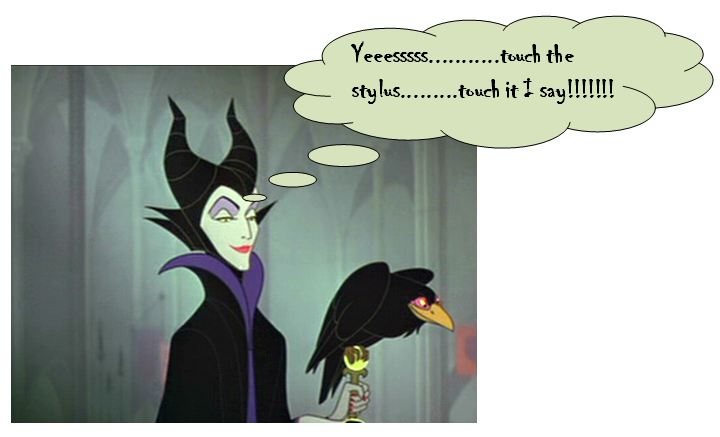
Instead, I told them, "Listen, you can keep teaching the same way as you always have, don't worry. You can still write on the board, and get your students to copy down what you are writing on the board, that's great, just try it on this thing instead!"  And I would casually gesture toward the stylus....like Maleficent drawing Aurora to the poisonous spindle....

Knowing, of course, that it would only be a matter of time before they would come under the spell of being able to do new things:

  • "Oh! Cool! I can move things around on the board after I've written them. Hmmm...classifying activity maybe?"
  • "Wow! I can put things up on the board before class and then during class just click through them, rather than spend valuable class time writing on the board, thus giving me more time to teach...."
  • ....and eventually "Sweet! I can show websites, movies, and write on those suckers too....."

The BIG transformation happened once they tried something a LITTLE different from their usual.

So I guess the name is important because it's not as intimidating as Project Based Learning, Mastery, Inquiry -this, Constructivist-that, etc....

No because....

It's not about the flip! It's so not about the flip. It's more like inside/outside: I used to gaze through the window of a store that I really wanted to get into, and all I was missing was a key. Then I found a key. And it's not about the key, it's about what's in the store!

And I know that I have a long way to go - I KNOW I am still delivering content, I KNOW my students are still depending on me too much, I KNOW it's not just about videos, I KNOW!!!! But like the smart board, the true power of the flip reveals itself slowly, and in different ways to different people.

So let's keep luring them in with something catchy and simple, and watch the spell take hold!

Wednesday, April 4, 2012

What to do with all that class time? It's been right under my nose all along.....

I remember when I first started flipping, I felt really uneasy during class, with all this face to face time.

For one thing, I missed seeing and hearing the kids' reactions to the lessons I had so lovingly prepared for them. No more laughing at my jokes. No more gasping when I, with great dramatic flair, revealed a stunning truth:


Gosh, I was good.....

But it also felt not busy enough. I lived in fear that someone might walk into my room (virtually of course) and get the impression that nothing was happening. I also knew that there just might be some kids who were not working....shocking, I know. I blogged about that here.

So I immediately started to create class activities, which I felt would take care of both those issues. We interacted during the activity, I got to joke around, they laughed and gasped, and they were visibly busy and engaged. One of those I blogged about here.

But let's face it, I am only one woman, and inspiration doesn't happen when you most need it to, and eventually I started to wonder how useful the activity was to the people for whom it was designed....

So what's been right under my nose all along? Student reflection.

I've been getting all kinds of info from my students all year, from voicethreads, blogs, and googledocs forms to name a few, but I haven't really been looking at it all the right way. All of it is rich reflection not only of the individuals, but the class as a whole.

Now I realize, thanks to my PLN on twitter, that there is a very logical reason for getting students to reflect: It is the best possible inspiration for what to do with the f2f time. I finally understand the brilliance of letting them determine what happens. But don't get me wrong, I won't start each lesson with "So what shall we do today on our math adventure kids?" We all know what kind of response that usually gets. And the last thing I want is for them to know that I am giving them that kind of power!

Instead, I will let their reflections tell me what to do. Starting with their comments on the voicethreads.

Yesterday, I saw some questions about this trig identity example from the previous night's voicethread:


Both questions had to do with cancelling out the two purple sinß's, which of course, you can't do. Aha - that's where I'll start today, talking about when you can and can't cancel common factors, but not just with the two who asked about it, with everyone!

Activities that resulted:

I put a trig expression on the board and polled them with a yes or no question: " To ccf or not to ccf?" (ccf is my abbreviation for cancel common factors....) And boy oh boy was it interesting to find out how many others needed to straighten out that particular detail. Even better, I let those who answered correctly explain, even decide how to explain, why you could or couldn't ccf. We did a few examples like this and that took about 15 mins. It occurs to me now that it had to have been timely not only for those who had already watched, but also those who hadn't. Cleared up some potential confusion hopefully.

Another vt comment lead to me polling them on who was feeling like this "Sure I can follow all the steps you're doing, miss, but I would never have known what to do next on my own." Talk about hitting the nail on the head - almost everyone said yes. Great relief all around! So we talked a bit about strategies, but here I have to admit, since it was such an overwhelming majority, I gave them my own tips. It felt like that was a time for me to reassure.

Note to self:

Let the questions and comments on the voicethread be the life of the class. That way they're not just another thing they have to do to prove they're up to date, and not just another thing for me to keep up with. They are living, breathing parts of the learning cycle.

I guess that's what was missing up till now. All this info that's been coming at me from the voicethreads, the gdocs forms, the student blogs.....I've been treating it like static pieces of info rather than dynamic parts of the evolving story of our class. Seems so obvious now.

Monday, March 19, 2012

Oh the Super-Humanity!


Where does the tool end and the human begin?

As I and my fellow online teachers continue to try out new tools and strategies to engage our students, I am noticing a certain ironic, and exciting, trend.  The very thing that one would think would interfere with authentic meaningful  human relationships, that is, technology, is actually having the opposite effect. The tools are actually evolving so that they make our communication more human. I would even go as far as saying some are transforming what it means to be human.

Texting is an example of a tool at the opposite extreme of authentic meaningful communication. By necessity of brevity, texting immediately jettisons most of the human touch, even with all those cute abbreviations.  ;-)  See?  Not human. Don't get me wrong - I have nothing against texting.  I text my own kids all the time! :)

But then we have wonderful tools like googledocs! The first time I experienced this enhanced human-ness was when I tried googledocs for the first time with my students.  Rather than go into all the details of the specific activity, I will just say that the students were all editing a single document, and they could all see what each other was typing as they were typing it. Each person's addition to the document was accompanied by a little callout with their name in it. That and the fact that we all saw the same thing in real time, made us all seem more flesh-and-blood to each other, myself included.  It was different than what we see in the chat box of the Zenlive classroom, even though that too is live and identifies each individual. I'm not sure why it felt so different; perhaps because it was a new place for us to gather and it just looked different
.
Next time I noticed it was when our online history teacher and edtech guru, Paul Rombough, showed us a video of a live Prezi activity that his students had done.  What we, and the students, saw was little Rocky-and-Bullwinkle type avatars scrambling all over a map of Quebec:
Each one of those little avatars had the name of a student attached to it, so once again, there was a human layering happening by virtue of the tool that was being used. In fact this one went two steps further than googledocs, because each student was given an actual human form and a location to add to their identity.

These examples had a huge impact on me. I found that instead of feeling that I had to go above and beyond to make sure I was getting through to my kids, and making them "see" me and their peers, the tool was doing that for me. Of course it was not only because of the callouts or avatars, but because of the collaborative nature of the task they were working on.

The super-humanity of the twitter chat

Now I have experienced a tool that makes it possible for us to "see" each other in ways that simply would not be possible without it.

I recently attended my first twitter chat. This simply means that I and many others went onto twitter at a pre-determined  time, searched for a pre-determined hashtag, and for the next hour, tweeted with that same hashtag.  It's kind of like being on a special twitter channel. There are many chats like this that happen on a weekly basis, like edchat, or mathchat, but the one that I finally decided to join in on was the flipped class chat, the hashtag for which is #flipclass.

I shall try to describe this experience.  Imagine yourself having five conversations at the same time, each one of them fascinating. Then add the fact that each of those 5 people you're talking to is someone highly innovative, respected, or just plain famous. Now add another dimension - on top of that, as you carry on these multiple conversations with these amazing people, other amazing people that you didn't even know were there respond to things you are saying and start even more conversations with you. And instead of 5, it's now more like 10. It simply could never happen in one room, or without a tool like twitter. Even with twitter, it's impossible to keep up all of the time, so the entire thing is recorded and posted for everyone to see the day after. And when I say see, I really mean it. Have a look at this.

With this tool, we can see not only what was said, but also directionality, intensity, and who the movers and shakers wereIt seems to me that this tool, and the twitter chat which it describes, makes it possible for us to process more information, more quickly, and in new ways. Maybe it even makes us superhuman? But then here's another irony - it certainly will take a super human to keep up with all the new tools that pop up everyday! Just when there are fewer and fewer phone booths around....

Thursday, March 1, 2012

Congruent Triangles à la Webtools

Just had THE most fabulous time with my grade 10's. It was the introductory lesson on congruent triangles, but I didn't want to say the words "Congruent triangles" and give anything away.

So I gave them this geogebra worksheet, created by Evan Weinberg. They moved the segments around to form a triangle, then took a snapshot using their snipping tool. Then they went to this googledoc to insert their snapshot. I made it clear that under no circumstances were they to shrink or enlarge their image, I wanted the actual size. After we got just a few of them inserted, I moved my own triangle outline over theirs, sometimes flipping, sometimes rotating, and lo and behold, we all had the same triangle. So sss demonstrated without words, only by doing and comparing.

Next, they all logged onto their explorelearning accounts, and started the Proving Triangles Congruent gizmo. Did a quick demo of how to measure sides and angles, how to select the conditions, and how to play around with the triangles to see if they are definitely congruent, or not necessarily congruent under those conditions. Then they worked in pairs to fill in the slides of this powerpoint, using snapshots from the gizmo to back up their statements:
I haven't even looked yet at their dropboxes to see how they did, but I am already struck by how many tools they are now comfortable using! Geogebra, snipping tool, googledocs, explorelearning gizmos, powerpoint, uploading to the CMS.....I just spoke with some McGill students last Tuesday night about, among other things, all these cool tools I and my students use, and one of them asked me if the kids ever get overwhelmed by all of them. I said I didn't think so, because I hadn't heard any complaints. but after today, I am convinced they are fine! At least with the half a dozen or so we used today, because they seemed to just click right along, in fact, some had even started it BEFORE class!

We'll see how it goes, but one way or another, it turned out SO much better than I thought it would. Maybe I'm not crazy after all!